About Valley Cities Client Portal
Compassion. Connection. Community. Valley Cities provides outpatient mental health and substance use disorder treatment, along with support services for adults, children, and families living in and surrounding King...
Compassion. Connection. Community.
Valley Cities provides outpatient mental health and substance use disorder treatment, along with support services for adults, children, and families living in and surrounding King County, Washington. Additionally, we provide residential inpatient services for substance use disorder intensive inpatient treatment, acute withdrawal management, secure withdrawal management, and involuntary treatment evaluation & management for those with a mental health disorder and requiring these levels of intervention.
We believe that with treatment, anything is possible.
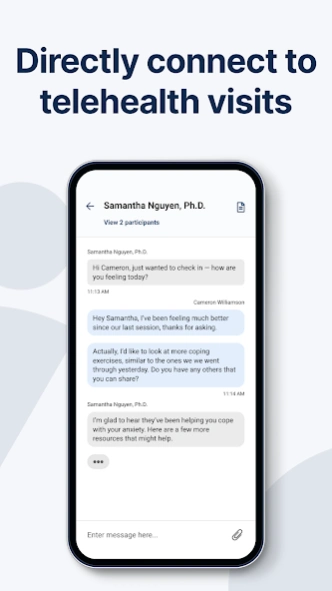
The Valley Cities Behavioral Health Care mobile app helps connect you with vital information to support your behavioral health and wellness. Whether you use the app to connect with us for an intake assessment, for ongoing support, to manage your appointments, or receive your care virtually – this mobile app will provide an easy and convenient way to stay connected with your support team.
You can do this. Your recovery starts now.
Previous Versions
Here you can find the changelog of Valley Cities Client Portal since it was posted on our website on 2026-04-08 01:59:31.
The latest version is 4.26.1 and it was updated on 2026-10-12 15:10:03. See below the changes in each version.
Valley Cities Client Portal version 4.26.1
Updated At: 2026-10-07
Changes: - Added TalkBack support across various pages in the app, making the experience more accessible for customers using screen readers.
- Added a clear error message on the login screen when clients attempt to use an expired password reset link. This provides clearer guidance and helps address issues clients have experienced when resetting their passwords.
Valley Cities Client Portal version 4.25.0
Updated At: 2026-08-12
Changes: - Bug fixes and performance enhancements
Valley Cities Client Portal version 4.24.0
Updated At: 2026-07-29
Changes: - Enhancements to support device rotation and resizing
- Redesigned the login screen to now only be one page, to remove multiple steps and barriers to login and provide a more consistent experience on all platforms
Valley Cities Client Portal version 4.23.0
Updated At: 2026-07-15
Changes: - ADA bot enhancement supporting new AI agent
- Enhancements to support device rotation and resizing
Valley Cities Client Portal version 4.22.0
Updated At: 2026-07-02
Changes: - After successful login, users continue the onboarding process, or are presented with the landing page as expected
- Backend enhancements to support device rotation and resizing
- Backend enhancements added to improve activity logging
Valley Cities Client Portal version 4.19.0
Updated At: 2026-06-17
Changes: - The app will not crash when users attempt to sign in
- Backend enhancements added to improve activity logging
- Backend enhancements to support device rotation and resizing
Valley Cities Client Portal version 4.21.0
Updated At: 2026-06-17
Changes: - ADA bot enhancement supporting new AI agent
- Backend enhancements to support device rotation and resizing
- The app will not crash during login when placed in the background
Valley Cities Client Portal version 4.17.0
Updated At: 2026-05-06
Changes: - Patients assigned a clinical form or treatment plan can now see who issued the document
- Tapping an email link now opens the existing active session instead of starting a new one
- Compliance-related enhancements
Valley Cities Client Portal version 4.15.0
Updated At: 2026-03-26
Changes: - Fixed crashes when navigating back using Android’s system button or in‑app arrows
- “Help, I can’t sign in” now stays visible above the keyboard
- Users waiting to join a Zoom meeting can swipe back to exit and rejoin
- Email links now route users to the correct section after sign‑in or onboarding without prompting unnecessary app downloads
- New users no longer loop after saving Appointment Reminder changes
Disclaimer
Official Google Play Link
We do not host Valley Cities Client Portal on our servers. We did not scan it for viruses, adware, spyware or other type of malware. This app is hosted by Google and passed their terms and conditions to be listed there. We recommend caution when installing it.
The Google Play link for Valley Cities Client Portal is provided to you by apps112.com without any warranties, representations or guarantees of any kind, so access it at your own risk.
If you have questions regarding this particular app contact the publisher directly. For questions about the functionalities of apps112.com contact us.